
Design Tokens Export & Deploy
Description
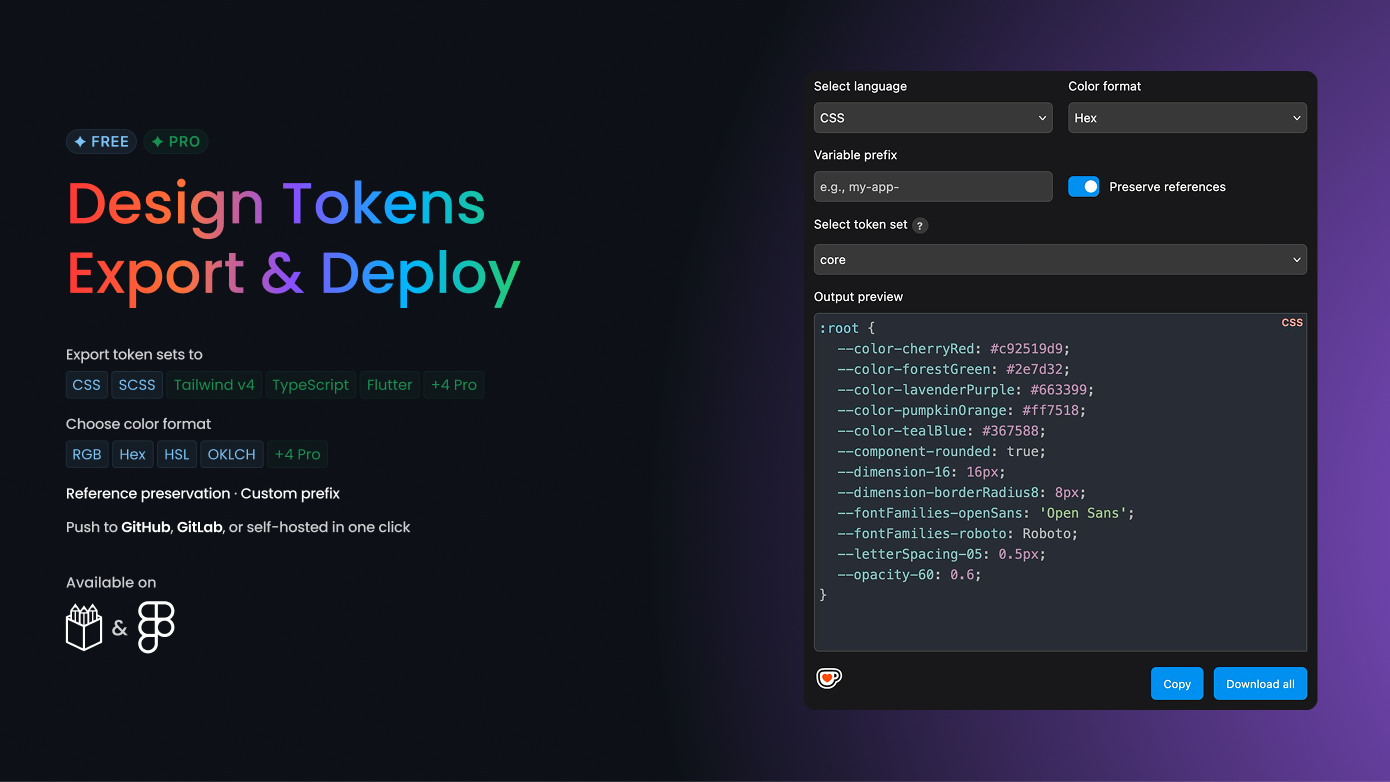
Export your Penpot tokens to 9 languages and deploy them to Git. No intermediate JSON file or extra transformation tool required.
FEATURES
Free
- 5 exports per month (all languages and color formats included, resets monthly)
- Analyze your tokens: view all Penpot token sets
- Check your tokens: detect broken aliases, type mismatches, naming issues, and duplicate values before export
- Instant generation: preview and export to all supported languages and color formats
- Copy with one click: copy generated code to your clipboard
- Live sync: always up to date with your latest Penpot tokens
Pro (Free trial available)
Everything in Free, plus:
- Unlimited exports: no monthly cap
- Bulk export: download all token sets as a single ZIP file
- Detailed issue preview: expand each check category to see exactly which tokens are affected, with names, messages, and collection context
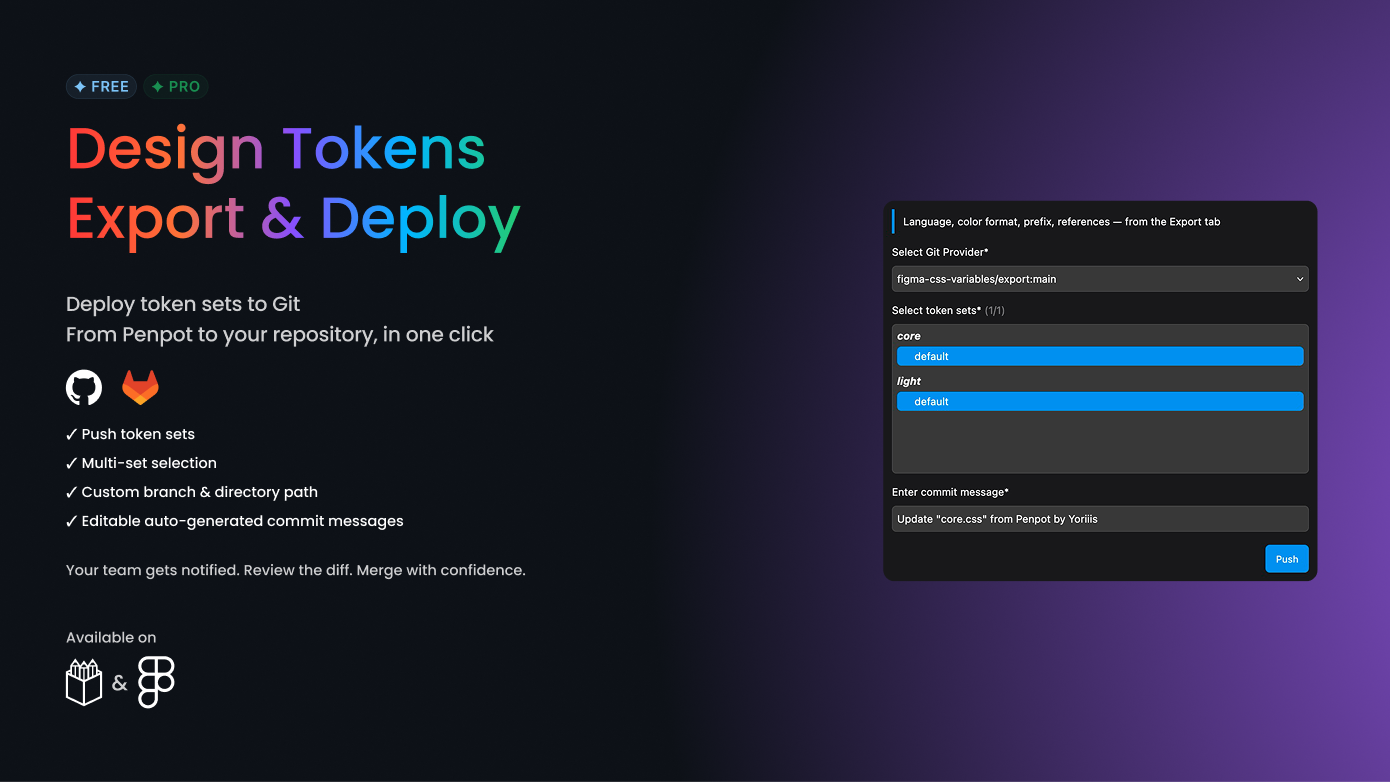
- Git deployment: push files directly to GitHub, GitLab, Azure DevOps, Bitbucket, or self-hosted GitLab
- Multiple token sets in a single commit
- Custom prefix: add a prefix to all exported token names (e.g., "my-app--color-primary")
- Reference control: preserve token references or resolve them to raw values
- Auto pre-filled commit messages, editable before pushing
- Customizable branch and target directory
GIT INTEGRATION & SECURITY
Generated code becomes your version-controlled source of truth, replacing the traditional multi-step pipeline.
Easily manage your Git providers:
- Add a new provider
- Edit the settings of an existing provider
- Delete a provider if it's no longer needed
When saving a Git provider, the following fields are available: "token", "owner", "repository", "branch", "basePath" and "host" (for self-hosted GitLab).
Your Git provider details are stored locally on your machine for privacy and security.
FILE STRUCTURE
- A separate file is generated for each token set
- Files follow the naming pattern: "{tokenSetName}.{extension}" (e.g., "colors.css", "spacing.ts")
TOKEN TRANSFORMATIONS
Penpot tokens are transformed to ensure they are valid for each target language:
- Slashes ("/"), dots ("."), and spaces are replaced with hyphens ("-") in token names
- Original casing of token names is preserved (uppercase, lowercase, etc.)
- For numeric tokens ("FLOAT" type), the unit "px" is automatically added
- Tokens are sorted alphabetically
UI & ACCESSIBILITY
- Dark mode compatible: adapts to Penpot theme preference
- Keyboard navigation: all interactive elements support keyboard use
- Focus indicators: clear visual focus on form fields and interactive elements
- Accessibility compliance: designed following W3C and A11Y best practices
HOW TO USE
1. Export: Go to the Export tab and pick a language (CSS, SCSS, Tailwind v4, TypeScript, DTCG, Penpot JSON, SwiftUI, Jetpack Compose, or Flutter). Select a token set, then copy or download your tokens.
2. Check (Free): Go to the Check tab to validate your tokens. Issue counts are shown for all users; upgrade to Pro for a full detailed breakdown.
3. Deploy (Pro): Add a Git provider in Settings, then go to Deploy to push your files to GitHub, GitLab, Azure DevOps, or Bitbucket with a single click.
QUESTIONS & SUPPORT
Have a question or found a bug? Reach out on GitHub Discussions
https://github.com/figma-css-variables/community/discussions
Report an issue
https://github.com/figma-css-variables/community/issues
Details
- Last update:
- Jul 6, 2026
- Published:
- Jul 6, 2026
- Install URL:
- https://design-tokens-export-deploy.pages.dev/manifest.json
- Author website:
- https://github.com/yoriiis
Plugin images
This plugin was developed by a member or group of members from the Penpot community. While we can’t guarantee everything will work perfectly, we encourage you to report any issues using the “Report this plugin” button—our team will review it.
You can browse, install, and manage plugins directly from the Plugin Panel inside the app, or explore them on our website. Most plugins are created by community members, so feel free to try them out and see what fits your workflow.
Want to share your own plugin? We’d love to see it!
Just check out our plugin development guide to get started. Once your plugin is ready, you can submit it for review and help other teams extend Penpot in new and exciting ways.
Let’s build Penpot together—one plugin at a time.
Contact [email protected] for questions and updates on your plugin.