Complex enterprise UX and UI at scale: The case for design infrastructure
Learn how open, self-hostable design infrastructure helps enterprise teams scale UX and UI, reduce vendor lock-in, and connect design to code with Penpot.


We’re increasingly hearing from enterprises juggling multi-product portfolios, global teams, legacy systems, and now there’s the added pressure to layer in AI, all conditions that make ad hoc design practices more and more fragile. In that environment, it’s natural for teams to ask: “Which design tool should we buy?”
But the question should really be: “What design infrastructure do we need so UX and UI can scale with the rest of the business?”
With that framing, you move away from hunting for a single “magic” tool and toward treating design as part of how you build products, a foundational layer of the broader product and technology stack.
In this article, we’ll look at how an infrastructure-first approach reduces risk and inefficiency, and what it makes possible: open, integration-first, self-hostable design stack that can grow and adapt with your organization.
Why enterprise UX and UI design breaks at scale
Success for small teams might look like one designer (hopefully more than one designer!) and a few developers moving quickly within a modern design platform. They can share files, collaborate in real time, and move from one iteration to the next with few bottlenecks. It seems like the design tool is working. But what looks efficient at 5 people collapses when you have dozens of teams, regulated markets, and multiple brands sharing the same patterns.
Reaching enterprise scale brings new variables, including multiple products, white-labeling, regional preferences, and channel-specific experiences. What you design for one product line may differ dramatically from what you ship for a white-labeled version serving a different market.
With token themes and modes, you can create complex combinations inside one design system.
Enterprises also have distributed teams working across time zones. Add in compliance, security, and infrastructure requirements, and you introduce additional constraints that shape how tools can be deployed.
If designs live in a cloud tool, while code lives in repos and pipelines, there may be no reliable, structured bridge between them. So, designs get exported as PDF files, handed off in meetings, and lost somewhere along the way. No one has access to the source file, and if they do, they may change it or lose track of the most recent version. (We’ve all been there!) Each handoff becomes a point of friction and an opportunity to lose the details of the original design. And if you update a design, brand rule, or UI pattern, expect to update it manually across countless files and products.
At this point, it’s quite obvious that the issues for enterprises scaling UX and UI aren’t only about collaboration but also that design isn’t connected to everything else. It’s a lack of design infrastructure that integrates engineering, operations, and governance into a cohesive loop.
What is design infrastructure?
Design infrastructure is where structured, machine-readable artifacts, like components, tokens, design documentation, live so engineering systems and automation can consume them. As these designs move through workflows between teams, they rely on open interfaces, APIs, and shared standards to stay aligned. As well as following infrastructure rules for governance, compliance, and brand identity.
While tools help teams create and platforms help them collaborate, infrastructure connects the outputs of both into a wider system of code, automation, and operations. For example, a change to a token buttons use could update your design files and your component library in code, rather than being manually copied. It’s the layer where design artifacts, systems, and workflows are treated as part of the product as a whole, not siloed creative assets or files.
Editing a design token’s value makes that change everywhere the token is applied.
A design system is the design guidelines that live in the infrastructure. Without the infrastructure, design systems can’t reach non-design teams.
What are the benefits of investing in design infrastructure?
Design infrastructure improvements affect how the entire product organization performs. It affects things leadership already tracks, such as cycle times, quality, risk management, and total cost of ownership.
It helps with:
- Reduced design-to-dev friction. Code-readable components and tokens let developers plug directly into shared definitions rather than manually measuring and recreating layouts and styles. It also limits ambiguity during implementation and discrepancies between design and reality, which can shorten cycle times and reduce QA defects.
- Scalability across teams and products. Shared infrastructure allows multiple teams, brands, and regions to draw from the same core design systems while adding their own local customizations. As updates are made, they propagate across the whole system rather than at the team level. That makes it cheaper to maintain multiple brands and regions.
- Strategic control and flexibility. Owning your design infrastructure makes it easier to adjust for new regulations, vendor markets, or internal strategies. Self-hosting, open standards, and extensibility means you can adapt and swap aspects without being locked into a vendor’s closed ecosystem.
- AI readiness. Since AI is only as effective as the structure of the data it ingests, unstructured design files limit potential. Design infrastructure that utilizes structured data helps create the interpretable artifacts needed for AI to plug into the pipeline. (And produce code that is both production-ready and resembles the original design!)
What design infrastructure looks like in practice
For enterprise teams, design infrastructure appears in how design participates in the broader system of tools, workflows, and decision-making across the organization.
Design that speaks the language of code
A design infrastructure with code-readable systems means components in design can map closely to components in code, with shared names, states, and constraints. Design tokens for color, spacing, typography, and more align with variables or configuration in your codebases.
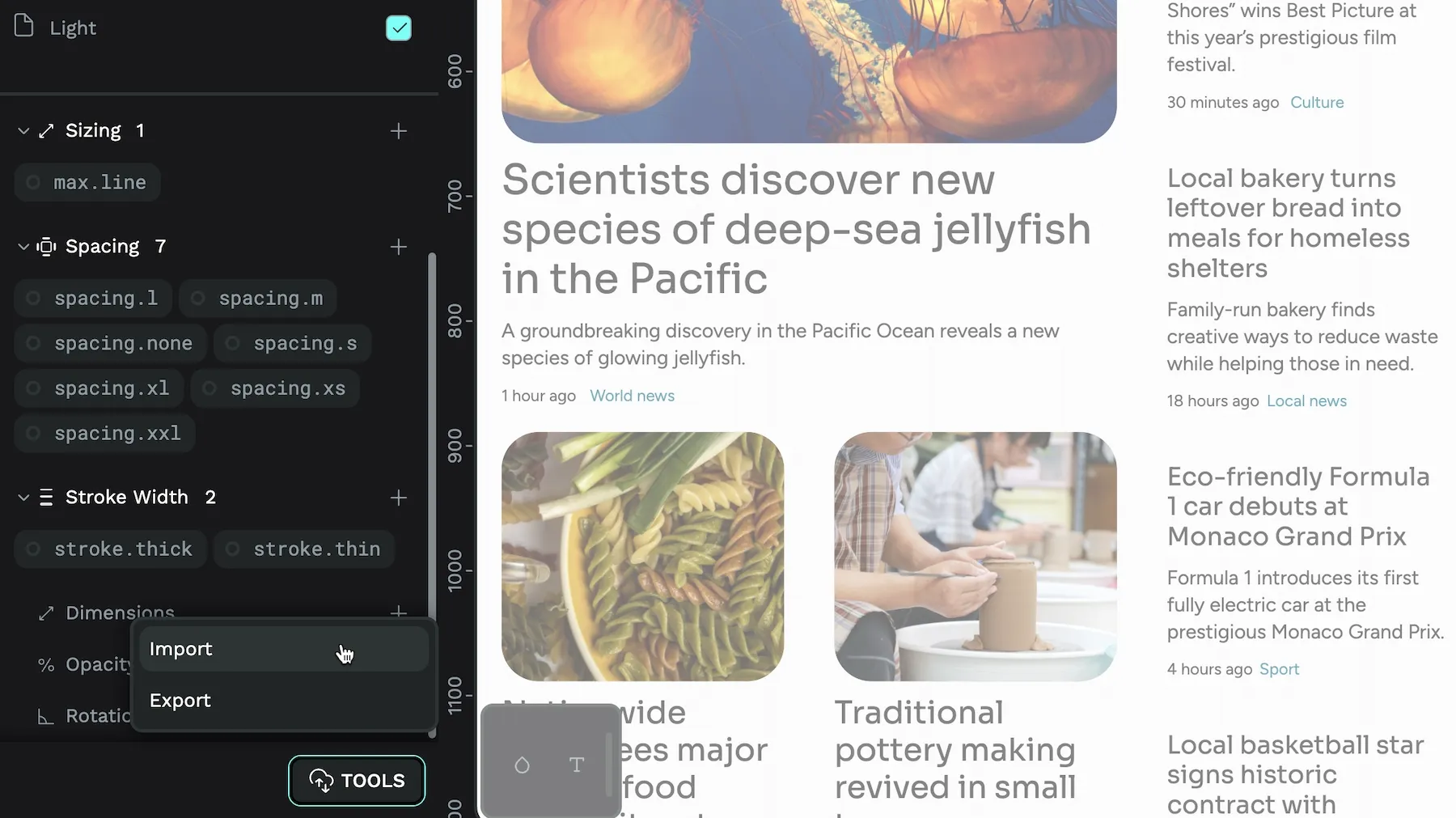
Design that speaks code means these components and tokens can move straight from design into engineering systems, rather than being reinterpreted from PDFs or static images. When you need to implement a global change (like updating a brand color), teams can update it once in the system instead of manually touching dozens of files, tickets, and code revisions.
Interoperable workflows across the stack
The reality of enterprise stacks is that product work touches repos, CI/CD pipelines, internal dev platforms, monitoring systems, and more. If design is kept inside a siloed SaaS tool, it becomes a separate track that never fully participates in this flow.
Open standards within a design infrastructure let organizations treat the design platform as another node in their stack, connecting it to repos, integrating with CI, and plugging into internal tooling instead of bending everything around a closed environment. This can utilize MCPs, APIs and webhooks that trigger automations, so when the design system changes, changelogs are generated, systems sync, and teams get notified.
Collaboration across roles
More and more people touch and have input on design work. They include product managers, designers, developers, QA, DesignOps, DevOps, and even legal and compliance teams. But not every role needs to be able to edit the design files. (In fact, you probably want to prevent that!)
Design infrastructure supports broader collaboration, with specific roles to let even non-designers provide comments that link requirements, or attach compliance notes without corrupting the design system. It’s a safer way to share designs and solicit feedback, and everyone works from the same source of truth without asking, “Which file is the latest?” It also speeds up approvals, and compliance or legal feedback is captured once at the source instead of scattered across email threads.
Infrastructure that teams control
Enterprises operate under real constraints: regulations, internal policies, and strict security requirements. That reality makes many “lightweight” cloud tools, designed for casual or small teams, hard to justify. Risk teams, IT, and security leaders need visibility into how systems behave and control over how they’re used. You need infrastructure that lets you work your own way.
Control starts with how and where you run your tools. When you can self-host or use a private cloud, you decide where data lives, how traffic flows, and how systems are monitored. You also choose which tools (including AI-driven ones) can access data at each stage of the pipeline. So when new regulations land, vendors merge, or your strategy shifts, you can adapt how you handle data on your own terms instead of waiting for a vendor’s next policy update.
The cost of staying in closed systems
There are both visible and hidden costs to closed design platforms. These include:
- Visible costs: Per-seat pricing that grows with headcount, including add-ons for advanced features and premium tiers for integrations.
- Hidden costs: Manual work to bridge gaps, delays caused by fragile integrations, and opportunity costs of not being able to integrate or automate as you wish.
More than that, closed systems affect behavior, with teams trying to work around the tool, instead of having the tool integrate into their existing workflows to meet their current needs. When this core functionality is locked inside proprietary environments, teams are limited in what they can build.
From a long-term strategic perspective, vendor lock-in can even make it risky or painful to respond to changes when needed. You’re at the mercy of a vendor’s pricing, terms, and direction, and in some cases, switching vendors means a full rebuild.
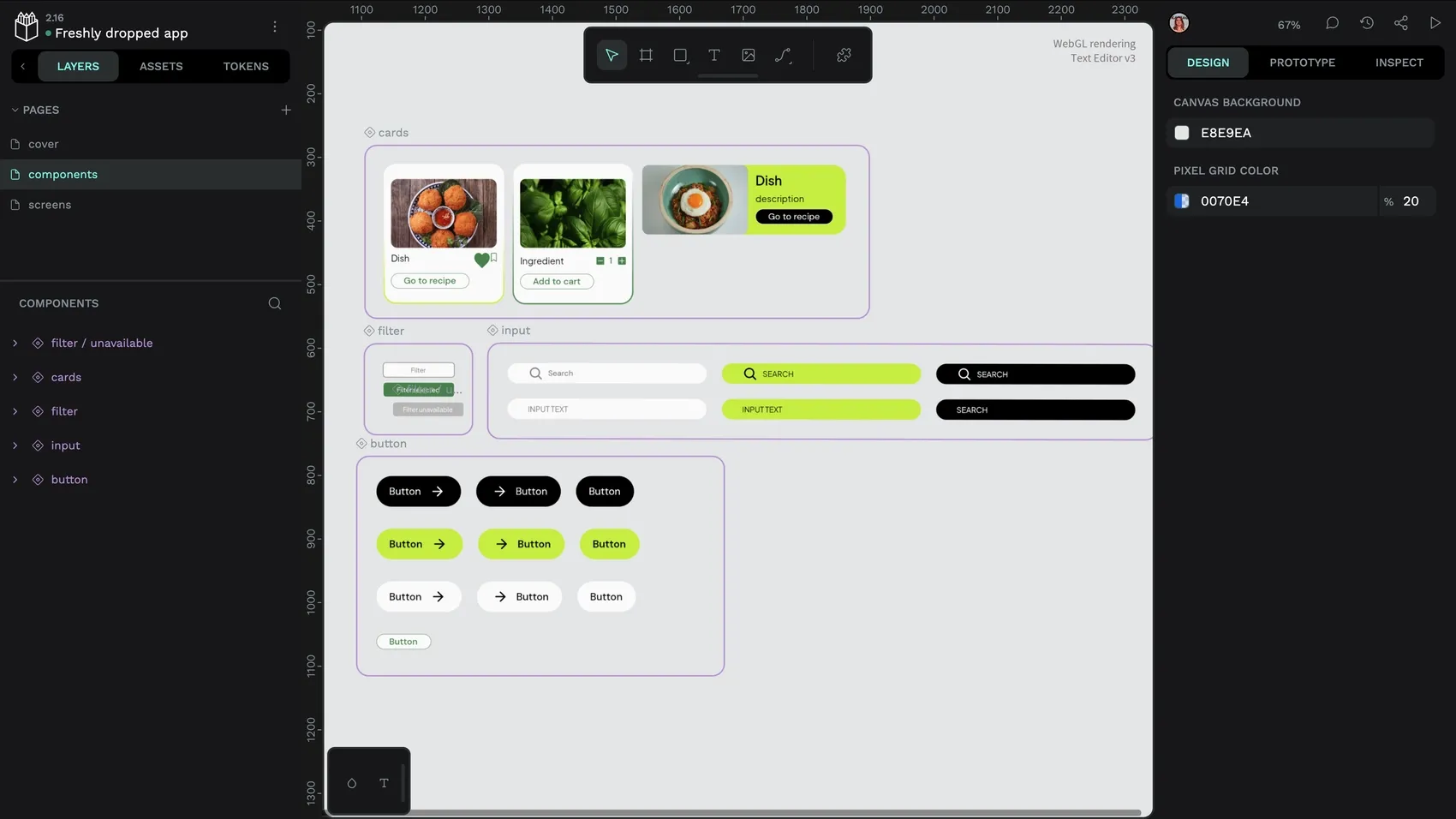
For example, a company wants to integrate design with an internal developer portal or compliance workflow and discovers that their closed design tool can’t support the required APIs or deployment model. It’s a dead end that leaves them choosing between abandoning the tool (and starting from scratch) or compromising on what they truly want to do.
An open-source, open-format design platform like Penpot gives teams the flexibility to adjust and grow as needed. You won’t be locked in and can self-host on your own servers, and you decide which tools and workflows can access your design data.
Bridging the gap between design and code
Enterprises need a clear bridge between strategy, design, implementation, and operations. Without it, ideas lose fidelity as they move into code, and feedback from real usage rarely makes its way back into the design system.
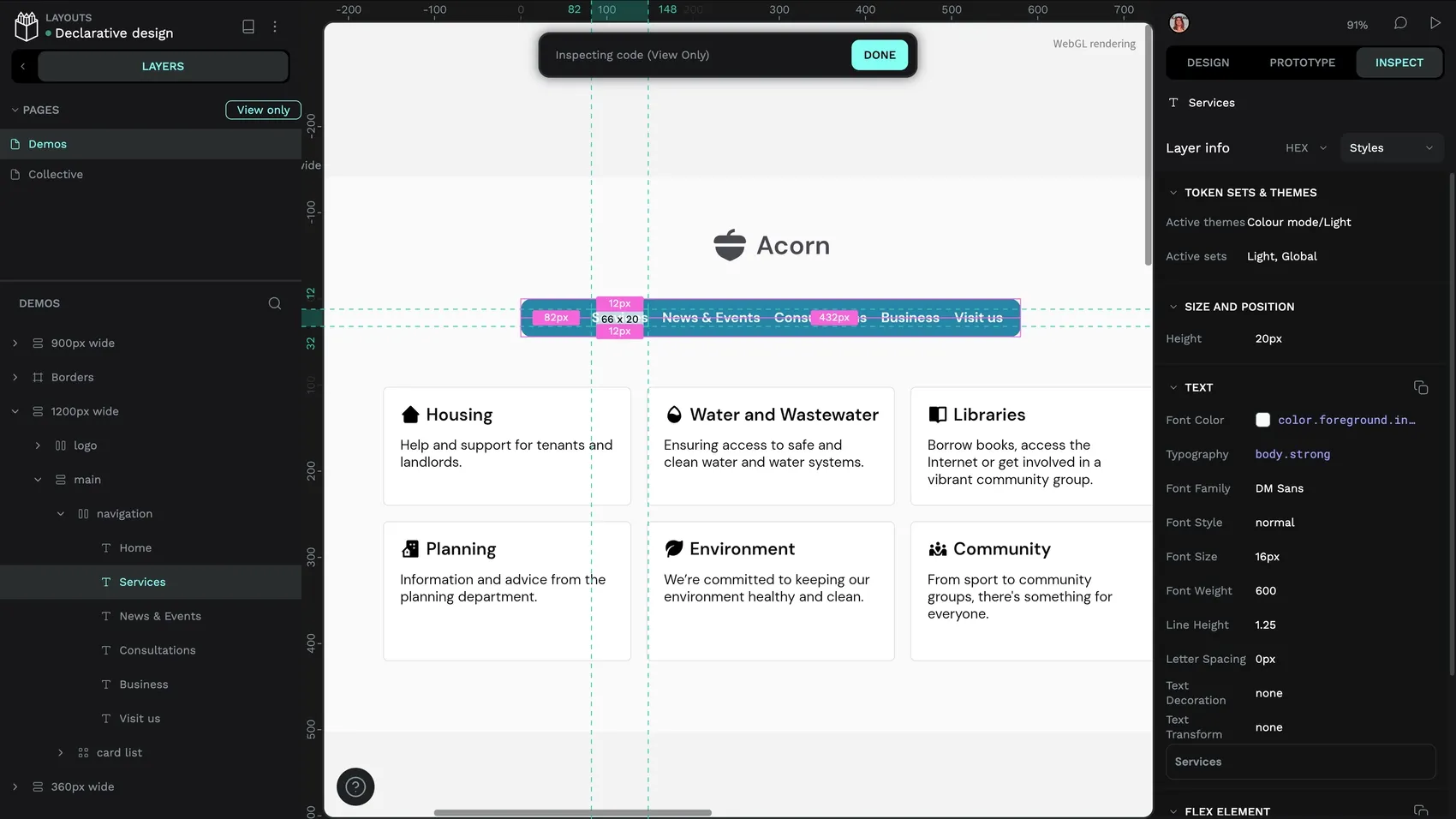
Design infrastructure creates that bridge by turning design outputs into structured, connected artifacts that can flow into implementation channels and then back into design as product data and learnings. The result is a continuous, learning-oriented pipeline so changing direction doesn’t mean breaking everything.
We’re building Penpot as design infrastructure you can own, extend, and integrate as you evolve your product and technology strategies. Rather than a standalone tool, Penpot (with its open standards and self-hosting capabilities) supports your plan for what comes next instead of just reacting to the last project’s obstacles.
Want to talk about what this could look like for your team? Book a call to learn more.
FAQs
How is design infrastructure different from a design system?
A design system is the catalog of components, design tokens, and guidelines for how to use them. Design infrastructure is the machinery and environment that makes the catalog work across teams, workflows, and codebases.
Does building design infrastructure require starting from scratch?
Not necessarily. Most organizations can start by structuring their existing design libraries and aligning them with code before gradually integrating them into repos and pipelines. These incremental steps won’t require radical rewrites. Especially if you’re already using standards-based formats like the DTCG’s design tokens format.
How does AI fit into design infrastructure?
AI workflows need structured, consistent inputs to be reliable. Design infrastructure provides that by organizing design elements into structured, machine-readable formats like tokens, components, and properties. This helps AI to be a dependable partner in documenting components, checking consistency, and generating variants.
Tools that already use AI can also more easily plug into an existing design infrastructure with Penpot’s MCP. So you don’t necessarily have to create new workflows to accommodate these new capabilities.
Related blogs
Looking for more to read about infrastructure and tooling? Check these out:
 Paula Tienza

 Paula Tienza

 Paula Tienza
 Paula Tienza