Digital sovereignty for business: A practical guide to controlling your tech infrastructure
Vendor lock-in, proprietary formats, and shifting regulations put your business at risk. Learn how digital sovereignty helps you control your tech stack on your own terms.

Did you consider digital sovereignty when choosing a design tool? If not, this might be a mistake, considering how fast regulations change, ongoing geopolitical risk, and the continuous consolidation of SaaS brands and platforms. In practice, digital sovereignty means having control over where your data lives, how your stack runs, and who can change the rules.
Businesses should give careful thought to digital sovereignty when adding any tech solution to the stack. Because most new tools touch customer or product data, it can quietly introduce regulatory exposure, lock‑in, or single points of failure — concerns for companies of all sizes.
Digital sovereignty is essentially about owning your tech decisions instead of renting them from vendors, so your business always sets the rules. When vendors control where your data lives, how it’s accessed, and when terms change, they effectively shape your risk, compliance, and agility. Reclaiming sovereignty is about flipping that power dynamic so vendors operate within your boundaries instead of the other way around.
Whether you’re choosing a new design tool or any other solution, this article shows how open standards and self-hosting can tighten security and help you avoid dreaded vendor lock-in.
Why digital sovereignty is reshaping business technology
As regulations tighten and vendor risk grows, digital sovereignty is shifting from a niche IT concern to a board-level requirement for both resilience and control over your data, systems, and future. That urgency is only increasing as regulators, customers, and investors all demand clearer proof that you can control your own data and operations.
Picking traditional “best-of-breed SaaS” tools based on popularity alone often leads to silent lock-in through proprietary file formats and a dependency on that vendor’s cloud and legal capabilities. Even worse, whenever the vendor is acquired or changes scope, asset files could become obsolete without some kind of conversion or method to export.
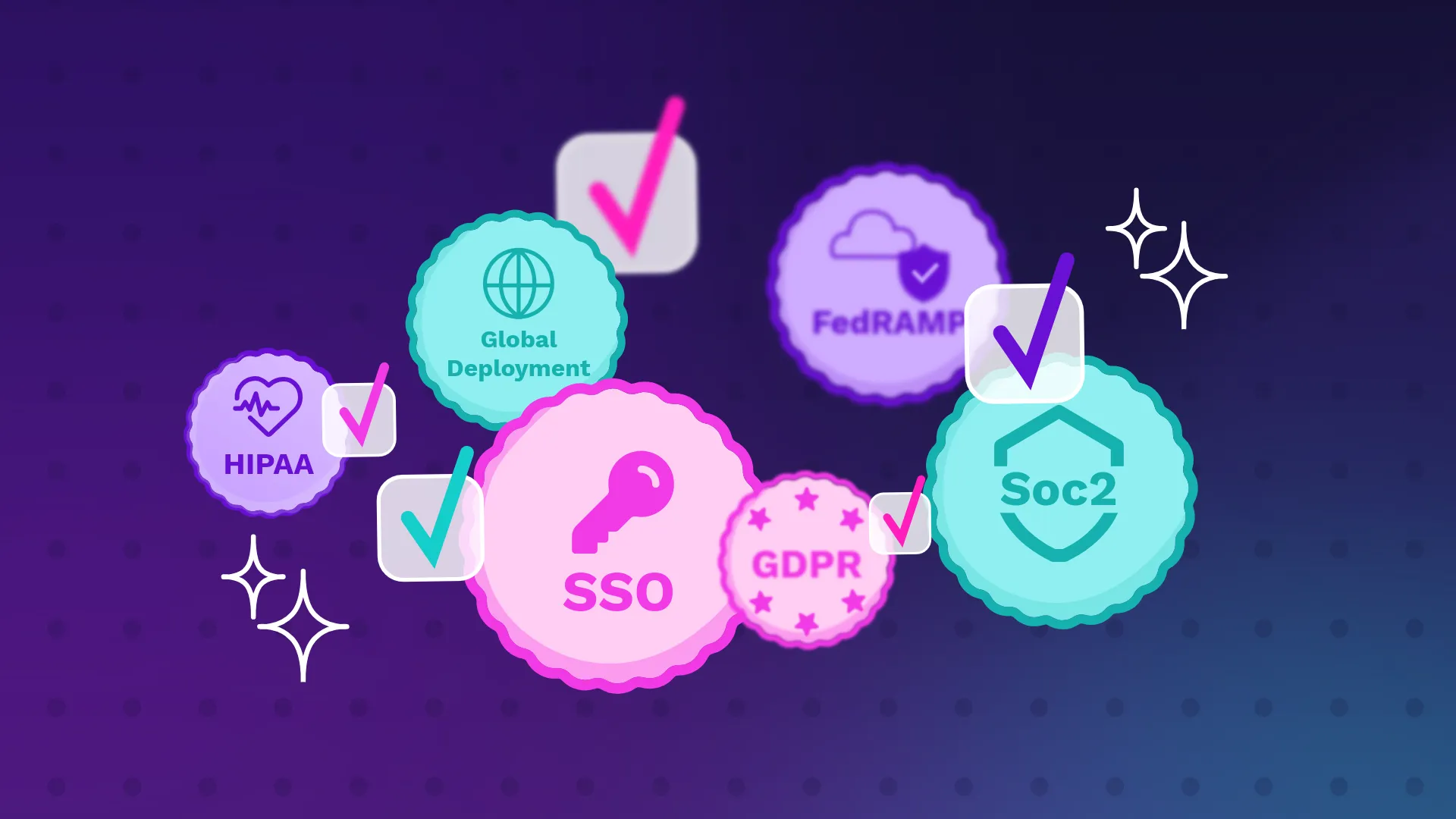
Asset flexibility isn’t the only thing at stake. New regulatory pressures from GDPR, HIPAA, and data residency laws force companies to know where all of their data lives, who can access it, and how they can exit a vendor relationship. They must also prove all of this with a documentation trail and survive outside audits if they happen.
These data-specific concerns, where information is stored, which jurisdiction governs it, and who can access it, fall under data sovereignty, a foundational layer of digital sovereignty. Getting data sovereignty right is essential, but it's not the full picture. Digital sovereignty extends beyond data governance to cover the tools, standards, infrastructure, and decision-making power that shape how your organization operates. A company can store data in the correct region and still lose sovereignty if its workflows depend on proprietary formats, its design IP is locked in a single vendor's cloud, or its tooling roadmap is dictated by someone else's business decisions. For a closer look at data sovereignty, especially the new risks AI is introducing in design and development workflows, read our article on data sovereignty and AI.
 Paula Tienza

What digital sovereignty actually means
Digital sovereignty means your organization (not your vendors) decides how your tech stack operates. It's the difference between choosing where your tools run, how your data is stored, and what happens when you need to make a change, and having those decisions made for you.
Digital sovereignty offers infrastructure freedom through self-hosting, the ability to move workloads, and swapping pieces without business disruption. It's not anti‑cloud or completely DIY; it's about maintaining autonomy so your organization can stay compliant, manage risk on its own terms, and adapt faster than any single vendor's roadmap.
The distinction matters because sovereignty is ultimately about options. An organization with digital sovereignty can switch a tool, move to a new region, or respond to a regulatory change because its infrastructure was designed to allow it. An organization without it has to negotiate, compromise, or absorb risk because the vendor's constraints become their constraints.
An example of digital sovereignty
Imagine a major SaaS design platform announces it is consolidating infrastructure across its tools. Overnight, all customer data for your EU region will be processed in a U.S. jurisdiction instead. Your legal and security teams flag potential conflicts with your own data residency requirements and customer contracts, and you have just 90 days to respond before the changes take effect.
In a non-sovereign stack, the response is almost entirely reactive. All design files, libraries, and workflows live in the tool, stored on the vendor’s cloud in formats tied to the platform. Legal teams scramble to mitigate the impact, but they can’t negotiate exceptions on where the data is stored. Migration to another tool risks file quality and loss of version history, so the company mostly adapts to the new reality by adding legal language. There is, however, no changing the underlying dependency on the tool in its newest form.
The sovereign stack plays out very differently. Here, the design platform is treated as a strategic system from the start, running on self-hosted or region-controlled infrastructure and using open, portable formats for all critical assets. There is a documented export and migration plan, so when a vendor announces a jurisdiction change, the company can choose to stay, renegotiate, or move away entirely. The data, formats, and deployment are always under its control (and not the vendor’s).
Digital sovereignty is key for organizations that want control of their future and how they respond to unexpected changes in regulation, technology, or budget.
4 steps to achieving digital sovereignty
You don’t need to rewrite your entire stack to gain digital sovereignty, but you will need an intentional series of audits, standards choices, infrastructure moves, and governance upgrades. These steps will materially reduce your dependency risk.
Step 1: Audit your critical infrastructure and identify dependencies
You can’t reclaim control over your stack until you know exactly which systems are critical, where they run, and how deeply you’re tied to each vendor. Start by determining what’s “critical” infrastructure, including software tools that hold customer data, intellectual property, or core operational workflows. Design platforms, CRMs, and social media marketing platforms usually fit that bill.
Audit each of your tools with the following questions:
- Where is this system’s data stored, and can we control or restrict residency?
- Is it SaaS, self-hosted, or hybrid, and who actually controls the runtime environment?
- Are our core assets stored in open, portable formats, and can we export a complete, usable copy?
- Do integrations rely on open APIs/standards or proprietary SDKs and vendor-specific features?
- Do our contracts guarantee timely export, deletion, and notice for major changes?
- Does this system support the permission, encryption, and retention controls we need to meet our compliance obligations?
- If we had to leave this system in six to twelve months, what would the migration path look like, and how painful would it be?
Use the answers to identify where a single provider controls multiple layers and which skill sets are tightly coupled to one vendor ecosystem.
Step 2: Prioritize open standards and data portability
When you choose new tools or renew existing ones, start by asking: “How portable is our data if we leave?” and favor options that support open standards at each layer (files, APIs, auth, and storage). In practice, that means:
- For files: Prioritize tools that store or export design assets in open formats such as SVG, CSS, and HTML instead of proprietary-only formats.
- For APIs: Look for platforms that expose OpenAPI‑based or similarly well‑documented standard APIs rather than only proprietary SDKs.
- For identity: Choose products that support standard auth like OAuth/OIDC instead of custom, closed authentication flows.
- For storage and infra: Favor S3‑compatible storage and open platforms such as OpenStack so you can move workloads without rewriting everything.
Open standards turn every future migration from a crisis into a choice because your data and workflows exist outside a single tool or format. They are the foundation of sovereignty and make it possible to move data, switch tools, and connect systems without recreating everything. Aim to use these standards whenever possible.
If your existing vendor doesn’t use open standards, it may be difficult to export everything into usable files on other tech stacks. Proprietary SDKs and protocols are also very difficult to replicate. On the other hand, tools that use open file formats keep design IP portable across existing platforms and workflows, as well as any that you add in the future.
Step 3: Implement self-hosting for strategic systems
Identify a few trial systems to self-host first, such as design platforms, internal collaboration tools, or analytics stacks. Good options include any use case where compliance, IP sensitivity, or integration complexity is high.
Self-hosting your most critical systems can give you much stronger control over data residency, security posture, and uptime. You don’t have to wait on a vendor’s cloud or features roadmap.
For example, self-hosting your design platform allows you to deploy it on your own servers or in a private cloud. Design files, user comments, user accounts, and code snippets all remain inside your infrastructure. Security and compliance teams can then apply existing controls (SSO, least‑privilege roles, logging, backups, encryption, and data‑residency rules) on their own terms — not the vendor’s.
It’s even possible to run the tool in tightly locked-down or fully air-gapped environments with no internet access at all (which may be ideal for security-focused industries and government contractors). Updates and plugins are brought in via pre‑approved, scanned artifacts, just like other sensitive internal developer or DevSecOps tools.
Step 4: Establish governance and verify compliance
Digital sovereignty only sticks when it’s backed by governance. Establish clear ownership, enforceable data-sharing and storage policies, and recurring checkpoints to keep risk low.
Sovereignty will then look like ownership for each critical system, defined data residency rules, exit strategies per vendor, and regular audits of configurations and contracts. You can even use different data regulations, such as HIPAA or SOC 2, as the design constraints for your infrastructure and not just part of a checklist audit.
Create a fast and low-friction vendor review checklist covering data storage, access, processing, retention, and sub‑processors. Use it when evaluating any new tool.
For existing vendors, schedule annual reviews where you recheck documentation, DPAs, audit reports, and feature changes. Be sure to confirm that nothing about data location or usage has shifted without your approval.
Common blind spots: Where companies lose sovereignty
Most digital sovereignty gaps don’t sit in core databases but exist in collaboration, design, and analytics tools that are part of your existing workflows and data pipelines.
Typical blind spots include:
- Collaboration and design tools that quietly centralize product IP in one vendor’s cloud
- Analytics platforms that hoard raw data in proprietary ways
- Identity and security tooling that makes it hard to switch clouds or apps
Even soft forms of lock-in, like workflow, plugins, and training investments, can prevent you from having full sovereignty. To spot these blind spots early, ask where the most valuable data and knowledge (such as customer PII or proprietary workflows) live, and whether you can get to it without a specific vendor’s UI or cloud. If the answer is “no,” it’s likely not the right tool to preserve digital sovereignty.
Achieving design sovereignty with Penpot
Penpot is designed to support design sovereignty through self-hosting, open standards, and open-source transparency, making it easier to take your design work with you if you ever decide to leave. For self-hosted deployments, your product IP can live entirely on the infrastructure you control, and your own policies govern how it’s used or transmitted.
If you later decide the software no longer meets your needs, or you want to use your files alongside other tools, Penpot’s use of open web standards and export options makes migration much more realistic. Its design data is built on open, widely supported formats rather than a proprietary-only file format, and self-hosting means you’re not locked into Penpot’s own cloud.
Not sure if you’re following your own roadmap or a vendor’s? Talk to us today about our enterprise plans to see how Penpot fits into a stack you actually control.
FAQs
What is digital sovereignty?
Digital sovereignty is an organization’s ability to control its own technology: where its data is stored, how its systems run, and who can change the rules. In practice, it means relying on open standards, portable data, and infrastructure choices that let you switch vendors, move regions, or respond to regulatory change without disruption.
Is digital sovereignty only a concern for governments or EU companies?
Digital sovereignty is increasingly a concern for any organization that collects and relies on data, not just governments or EU companies. EU regulations have made the topic more visible and raised the stakes for non-compliance, but any global or data-intensive software business faces similar vendor, regulatory, and geopolitical risks.
Is open-source software secure enough for enterprise use?
Open source is widely used in enterprise environments, and public code allows security teams to audit it directly instead of relying on vendor assurances. Security still depends on how the software is deployed, patched, and monitored, so apply the same controls you use for any critical system.
Do we have to abandon the public cloud to achieve digital sovereignty?
No. Sovereignty is about choice and control, not rejecting cloud principles entirely. With hybrid models, self-hosted workloads, and open standards, you have options for how you own and manage your data.
Which systems should we self-host first?
Each organization will have a unique roadmap to becoming digitally sovereign, but a good rule of thumb is to prioritize systems that combine high data sensitivity, regulatory exposure, and lock‑in risk. Design platforms often qualify because of the IP they hold and the market’s history of acquisitions and vendor changes.
Related blogs
If you found this article interesting, you may want to read these ones:
 Paula Tienza

 Paula Tienza
 Paula Tienza
 Paula Tienza