Agile design 101: How teams build better products faster
Agile design itself is changing fast as AI upends how design gets practiced. This guide is a quick Agile design refresher, useful to revisiting the fundamentals.

These days nearly every design team has adopted some level of Agile design practices, whether that's sprints, standups, or rapid iteration. Still, not everyone on a cross-functional team is equally familiar with the fundamentals, and Agile design itself is changing fast as AI upends how design gets practiced.
Consider this guide a quick Agile design refresher, useful if you're onboarding someone new, revisiting the fundamentals, or just want a clean reference to point people to. This piece walks through what Agile design actually means, how it compares to related terms like Agile UX, and what it looks like in practice for a cross-functional team. It then breaks down how AI is changing the designer's role, why design systems matter more as more people prototype, and how review needs to keep pace.
What is Agile design?
Agile design is an approach toward user experience (UX) design that prioritizes flexibility and an iterative process. It differs from traditional, linear design methods in how it breaks up work into shorter cycles, called “sprints,” and relies on user feedback to make each iteration better before moving on.
Because it relies heavily on cross-collaboration, rapid prototyping, and ongoing refinement, it can be the ideal method for fast-paced industries like IT product development, banking, and marketing.
How Agile design compares to traditional design
Agile design is all about adapting and iterating quickly based on feedback, while traditional design follows a fixed, linear plan from start to finish.
If you’re developing a new company website in the traditional way, teams would gather requirements upfront and design every page in detail. Then, they would send it to developers to build according to the original layout. They may ask for user feedback during a beta test and before the site goes public, but only for simple changes that don’t require a complete overhaul of the design.
Compare this to the Agile approach, which breaks up the entire web development process into two-week chunks (or sprints). Each sprint allows designers and developers to work together to design, prototype, and build a page or feature. They test it with a small set of real users, repeatedly implementing feedback before moving to the next phase or feature. User input determines how features work, look, and feel, even if it shifts the priorities significantly from the original design.
Both approaches incorporate user feedback, but at different stages and with different weights in the design and development of the final product.
Why Agile design matters for modern teams
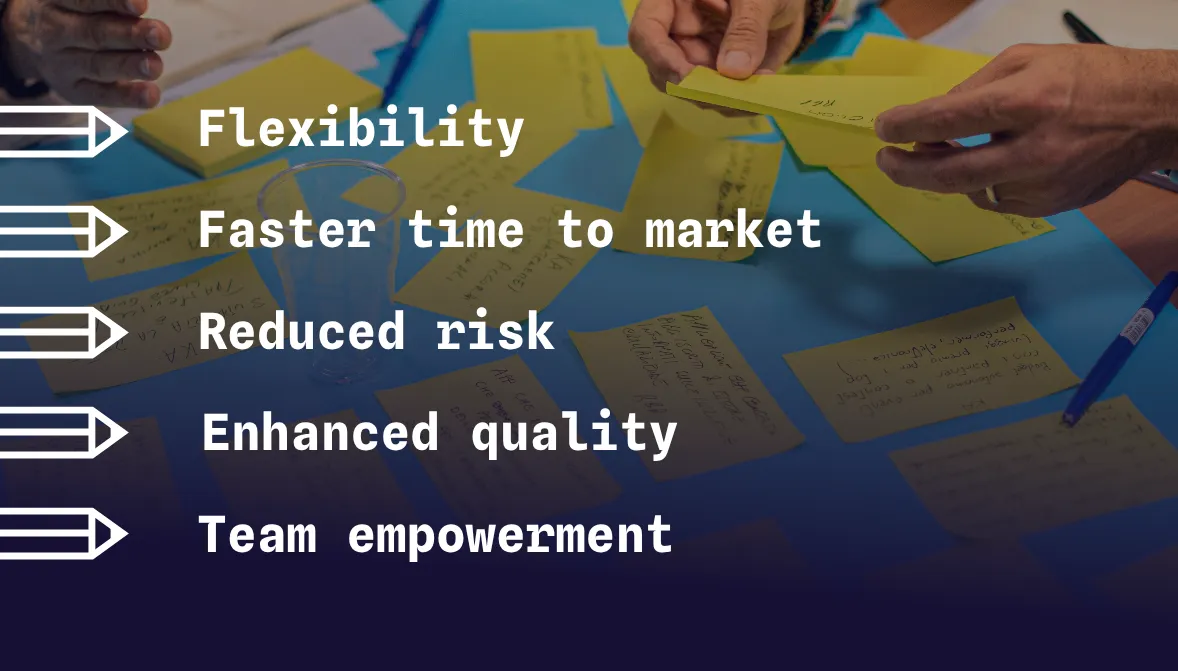
Agile design addresses the need for organizations to build products with speed, collaboration, and adaptability. Those looking for a more user-centered approach might enjoy the following benefits of Agile:
- Flexibility. It empowers teams to quickly adapt to market changes and user needs without having to rework the design from scratch every time a feature becomes obsolete.
- Faster time to market. The short cycles and incremental improvements get teams to work more quickly than traditional methods. It positions companies competitively when weeks or months count.
- Reduced risk. The early and frequent testing approach helps teams identify issues before investing a significant amount of money or risking market reputation.
- Enhanced quality. With no worry of making changes too late in the process, Agile gives teams every opportunity to meet user expectations, which can lead to a better overall product.
- Team empowerment. Agile teams remain cross-functional throughout the process, giving everyone a sense of ownership and accountability. It also encourages skill sharing from teams that haven’t traditionally been involved in certain stages of an iteration.
While Agile isn’t the only way to get to these outcomes, it is the most natural way, since the design process incorporates the following traits:
- Collaboration through breaking down silos and encouraging regular, open meetings. Tools are often shared between teams, highlighting shared ownership of outcomes.
- A common language that both design and development teams understand and a set of expectations that everyone can see at any time. This encourages support and coordination between team members who may not have worked together in a more traditional design approach.
- Shorter, focused sprints that encourage quick review and iteration and reduce time between ideation, testing, and implementation.
- Frequent testing and validation at every stage, which catches defects and keeps projects on time, even as fixes must be made.
Who should use Agile design?
Agile design works best with around 5-9 active team members involved in the iterations. Here’s a quick breakdown of the stakeholders to include and how they contribute to the overall success of a product:
- Product and UX design teams to ensure products work well and offer a user-centric experience
- Software development teams to get products out quicker and improve code quality
- Marketing teams to adapt campaigns to highlight new features or functionality
- HR teams to hire and promote the right people based on skills and experience
- Operations teams to adjust processes and policies as needed
Any team where collaboration, adaptability, or customer satisfaction is a priority can also be included to the extent it makes sense (and doesn’t slow down the iterations). This can include subject matter experts (SMEs) and outside consultants as needed.
How Agile design works in practice
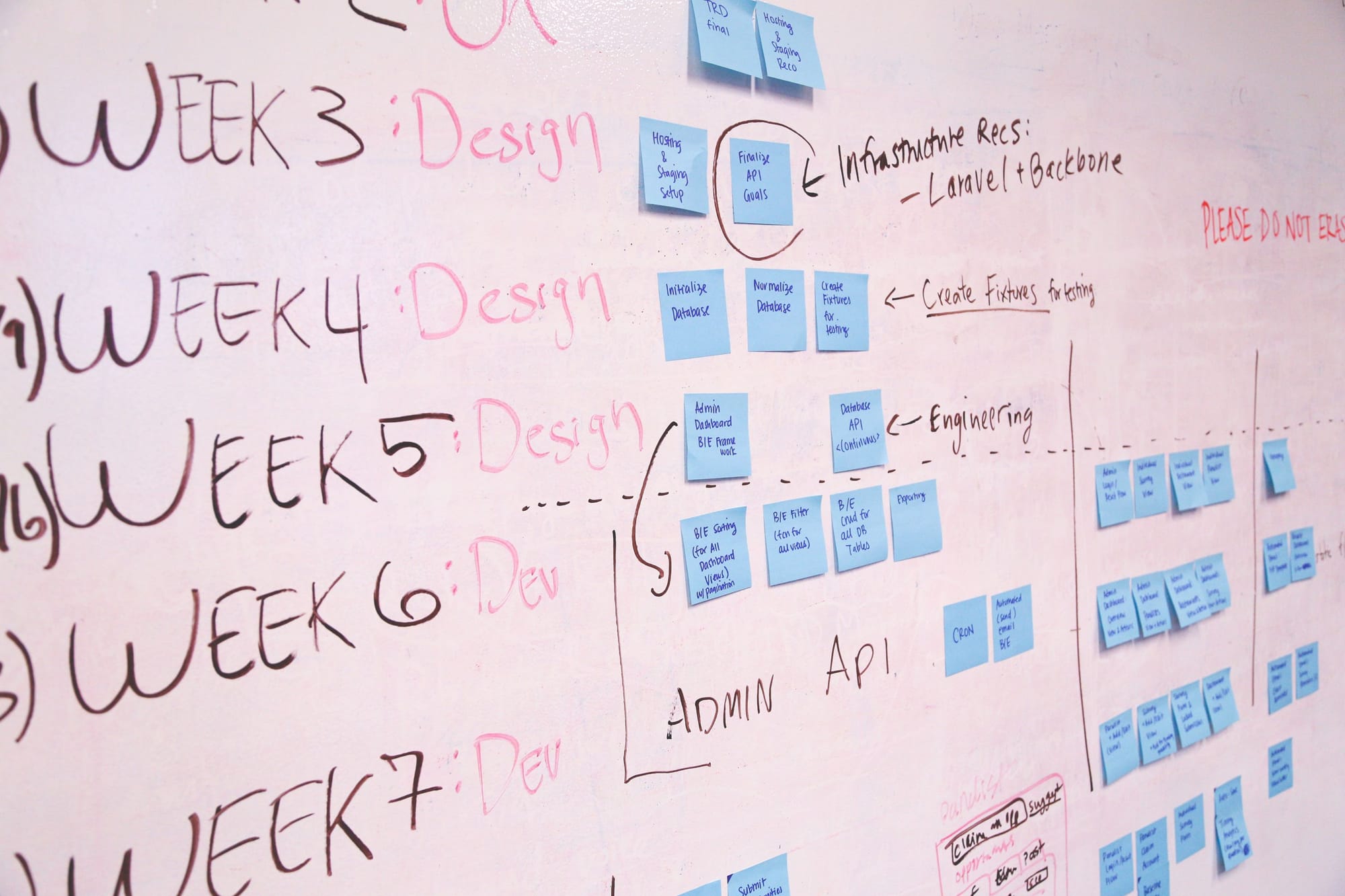
Agile design improves upon a traditional design approach by emphasizing the improvements that can be made in each separate iteration cycle. A cycle would look something like this:
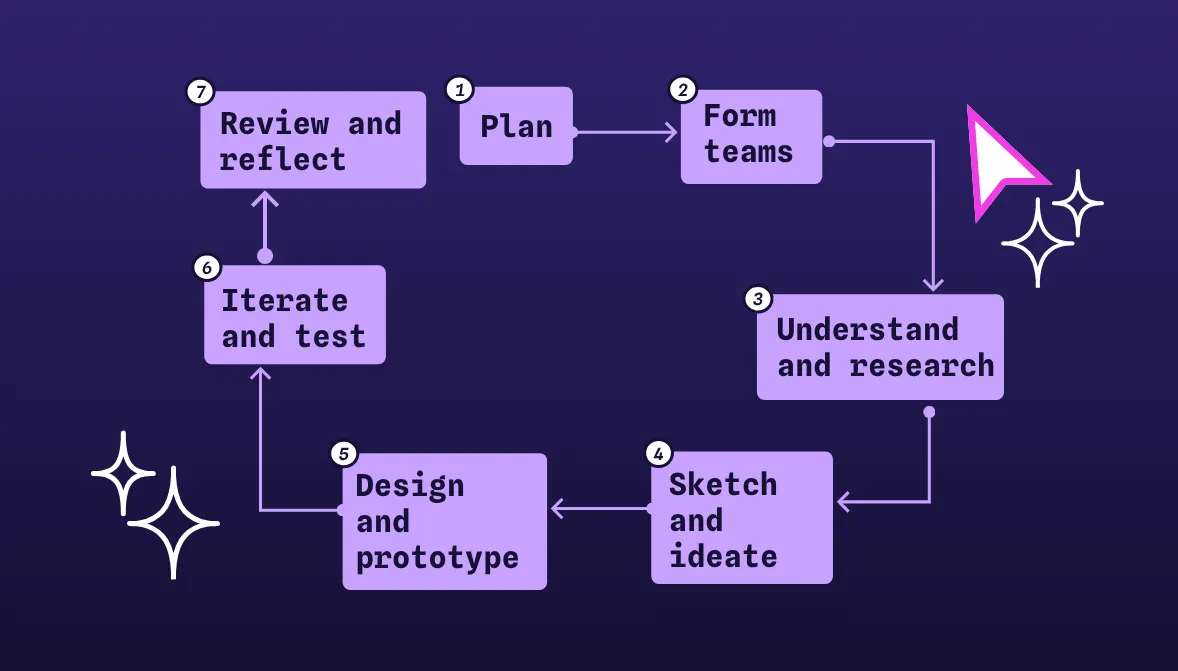
Plan
Define project goals, user needs, and key features. Break goals into sprint-sized chunks. Set clear timelines and expectations for sprint completion.
Form teams
Build cross-functional teams (designers, developers, product owners, stakeholders). Assign roles and ensure everyone understands their responsibilities.
Understand and research
Conduct interviews, surveys, and analyze customer data. Prioritize tasks based on constraints like time, budget, or tech limits.
Sketch and ideate
Brainstorm and wireframe initial concepts. Encourage broad team participation to spark innovation.
Design and prototype
Develop interactive prototypes to convey ideas. Focus on minimum viable features for the sprint.
Iterate and test
Release a working prototype at the end. Gather feedback through user testing and stakeholder reviews.
Review and reflect
Analyze what went well or didn't. Use insights to improve future sprints and align with overall project goals.
Once one sprint is done, you want to refine and repeat, incorporating new feedback into each sprint. This cycle continues until you have a final product that meets the user and business needs in a healthy balance.
Common challenges and how to overcome them
The Agile design process can create a more usable product with fewer eventual bugs or glitches, but it’s not without limitations. Some of the more common obstacles teams may run into (along with their solutions) include the following:
Design vs. development pacing
Design and development teams each have their own pace, which can create bottlenecks when one team needs more time to handle their tasks. For example, designers may get stuck on research, ideation, and prototyping, while developers wait patiently to start building.
Overcome this through staggered sprint planning with design activities one sprint ahead of development. This gives designers a chance to create while developers continue working on the last sprint, and there’s no pressure to rush design work to the detriment of the project.
You can also include developers early in the design process for feasibility checks and feedback, which can reduce work on the backend (and speed things up).
Balance speed with creativity
When a project feels rushed, creative team members don’t have enough time to brainstorm and ideate properly. Agile’s rapid iteration may discourage the full exploration of innovative solutions since it may not take the time to conduct thorough user research at each stage.
Address this pain point by having design sprints, which create a structured window for ideation and prototyping. You can combine these with lighter documentation requirements and tools that prototype quickly to keep you moving along.
Manage stakeholder input
The Agile method requires stakeholders to offer input regularly, but this step can hold up an otherwise on-time project. Communication gaps and misalignment may cause conflict and push your timelines off track.
Manage this with stakeholder mapping stakeholder mapping, which identifies and categorizes stakeholders by influence and interest. Communicate with just those who need to know and can offer input for each cycle to keep updates relevant and aligned with project goals.
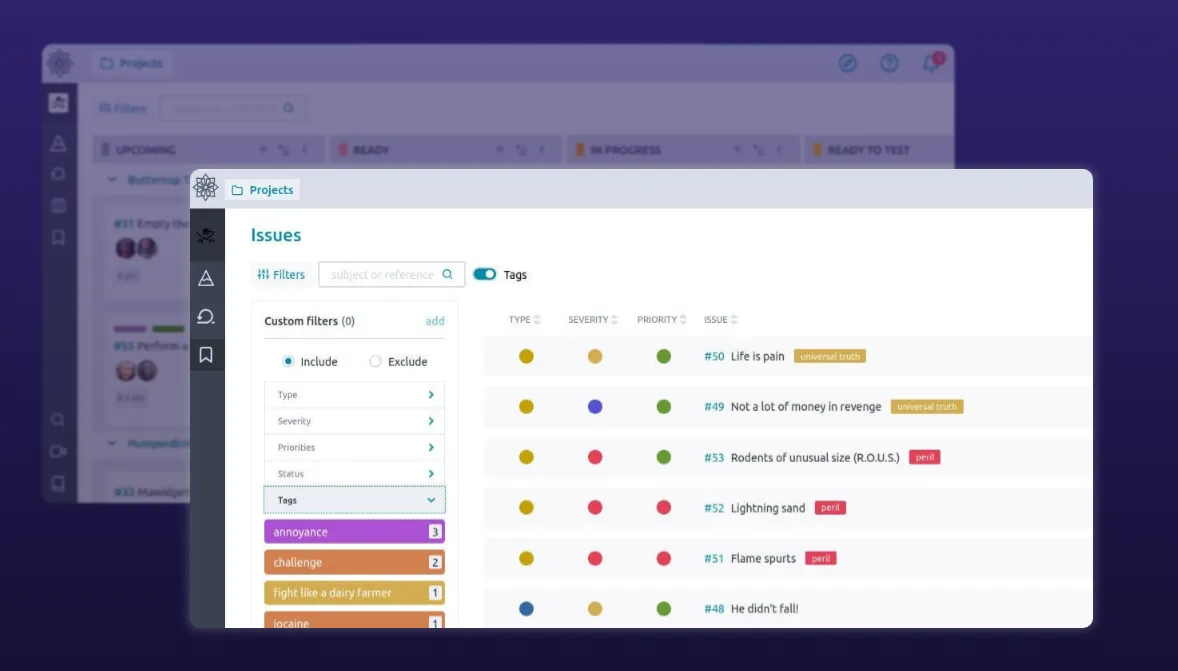
Digital project management tools (Taiga, Jira, Notion, etc.) integrated with open-source design platforms like Penpot help update stakeholders in real time without extra work. This is especially useful for asynchronous remote teams, where regular video call updates can be complicated to coordinate.
How Penpot supports Agile design workflows
Agile product design requires everyone to be on the same page, and this is one place where a simple-to-use, collaborative platform like Penpot shines. Our open-source, web-based design and prototyping platform can bridge the gap between teams, making it an ideal way to create and share designs. Some Agile-friendly features include:
Real-time collaboration. Multiple users can work on the same file simultaneously, comment on designs, and tag stakeholders for feedback, all within a single shared workspace.
No vendor lock-in. Penpot is an open-source design platform, so you always own your work. Just save your files as an SVG, and your designs can be taken anywhere, at any time. You can even self-host the software for complete data control.
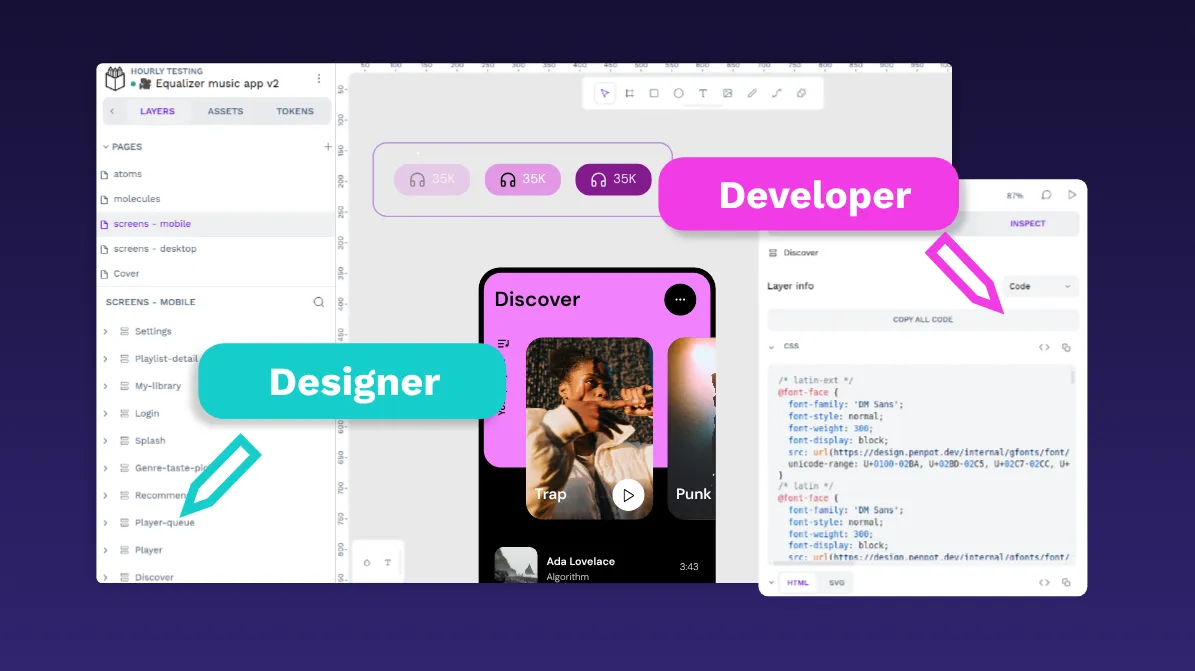
Design to code. Penpot expresses each design as code, using developer-friendly constructs like flex layouts and design tokens. Map designs directly to CSS Flexbox so developers can access the original code and use it in production. Penpot's MCP server also lets AI agents interact directly with your design files, connecting AI-assisted design work to the tools and automations your development team already uses.
Eliminate the clunky hand-off. With a two-way workflow, developers and designers work in tandem, so sprints don’t get bottlenecked with back-and-forth communication. As changes get made, they can be updated in the shared user interface (UI) library, and cross-functional teams stay aligned every step of the way.
Iterate cleanly. Changes are tracked in real time within the platform, which makes versioning simple and visible to all. The history makes it easy to review and revert to previous versions, if necessary.
Flexible integration into workflows. Design tokens and component libraries are easily created within the platform for simplified storage and documentation. This makes it more likely your teams will scale consistently and not introduce errors into later iterations.
Accessible to all platforms. Penpot works across all major operating systems and browsers. This lets team members work anywhere without purchasing additional seats or licenses for the same user.
Support your design and development teams on Penpot
Penpot empowers agile teams to collaborate openly, iterate rapidly, and keep design and development in sync, all without the constraints of proprietary platforms or rigid workflows.
Do you want to unlock the power of agile design? Get started with a free Penpot account today and see how the right design platform can help your teams work faster and smarter.
FAQs
What are the main principles of Agile design?
The main principles of Agile design include flexibility to adapt to changing requirements, continuous improvement through iterative cycles, and a strong focus on user and customer needs.
What is the difference between Agile design, Agile UX, and Agile development?
Agile design is a process of designing products that uses Agile principles, while Agile UX specifically integrates user experience practices directly into Agile development cycles. Agile development is the broader methodology for building software in short, iterative sprints, emphasizing working software, customer collaboration, and adaptability, with or without explicit integration of design or UX.
How does Agile design handle changing requirements?
Agile design embraces change by breaking work into short cycles (sprints), allowing teams to incorporate new insights and feedback regularly, so the product evolves alongside user and business needs.
How is AI changing agile design workflows?
AI is allowing more people on a team to generate working prototypes, which speeds up early iteration. However, this also makes a well-documented design system and a lightweight, formal review step even more important if you are going to keep quality and consistency intact as speed increases.
Related blogs
 Elena Alcalde
 Laura Kalbag
 Laura Kalbag