6 reasons enterprise companies choose to self-host Penpot
Penpot gives enterprise teams something most SaaS design tools simply cannot offer: full control over a design platformplatform, without sacrificing collaboration, performance, or product velocity. But how?


Enterprise teams currently face a hard choice. They can accept escalating per-seat licensing costs, vendor lock-in, and data residency challenges from traditional design platforms, or they can migrate to infrastructure they own and control.
Penpot’s self‑hosted model is a strategic play. It ensures you don’t have to choose between values like open‑source transparency or modern web technology.
Penpot gives enterprise teams something most SaaS design tools simply cannot offer: full control over a design platformplatform, without sacrificing collaboration, performance, or product velocity. But how?
First, let’s clarify what self‑hosting means in practice. Then, we’ll explore six concrete reasons enterprises are choosing to self-host their design platforms with Penpot.
What does self-hosting Penpot mean?
In a self-hosted deployment, your organization runs the Penpot design platform on servers you control. While Penpot is commonly used as a web-based, open-source design and prototyping platform that users can run through the default cloud-based, browser experience (Penpot hosted), it can also be used fully inside your own enterprise infrastructure (self-hosted).
Enterprises can choose the self-hosted configuration that best matches their needs right now, with the ability to switch to a different deployment in the future.
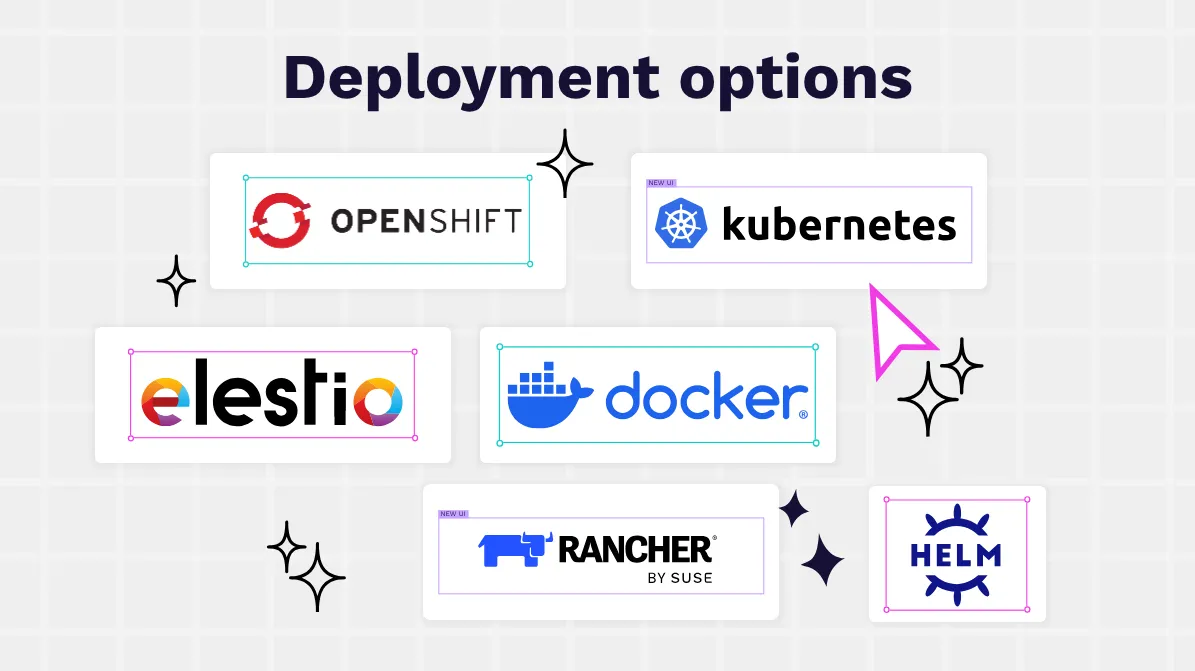
Configuration options include:
- Docker and Docker Compose for straightforward installations on internal servers or private cloud instances
- Kubernetes and Helm for high‑availability, auto‑scaling clusters that support large, globally distributed teams
- Enterprise platforms like OpenShift and Rancher from SUSE to integrate Penpot into existing container management, observability, and security workflows
- Elestio for the turnkey experience of Penpot in a dedicated environment under your control
From the user’s point of view, nothing changes based on these deployments. Penpot still feels like a familiar, collaborative design platform with shared workspaces, multiplayer editing, interactive prototypes, and real‑time feedback. But behind the scenes, your IT and security teams decide where to store and harden data. IT teams also decide how to integrate Penpot with the rest of your stack for smooth workflows, centralized authentication, and consistent data governance.
The combination of modern, browser-based UX with an open, self-managed data infrastructure makes Penpot particularly unique.
6 benefits of self-hosting Penpot
Enterprises self-host Penpot for a variety of reasons, including meeting strict security and compliance standards and having the convenience of keeping design assets close to their existing systems and workflows. Whatever the reason, self-hosting gives teams more control over how their design platform runs and the confidence that their data stays exactly where they want it.
Here’s why companies often choose to self-host Penpot.
1. Better data control and ownership
Self-hosting Penpot allows companies to own their work. Enterprises are increasingly treating design assets like core intellectual property because these unique designs help them stand out from competitors and are valuable ideas they do not want others to copy.
When design systems are locked in proprietary formats or held hostage by vendor pricing changes, product roadmaps can stall, and re-platforming costs rise. Teams are forced to work within vendor-imposed constraints rather than market demands. Design systems, component libraries, prototypes, and interaction specs are often the blueprint for entire product families — they shouldn’t be locked into a vendor’s black box.
Other platforms enforce restrictive sharing rules or make it unclear who really controls the data. Penpot is open-source by design — your work belongs to you, whether you use the cloud version or host it yourself.
Self-hosting allows all design files, user data, and code snippets to live on your own infrastructure, under your governance policies. For teams handling sensitive industries, trade secrets, or client projects under NDA, this level of control can be essential, especially for air-gapped environments.
For instance, government defense contractors often use local infrastructure to safeguard information and control exactly how it’s stored. The ability to keep design assets in-house helps them maintain trust and meet strict security clearance requirements.
Self-hosting also gives organizations full control over backup and retention. Instead of waiting for a vendor’s schedule, admins can decide when to back up, when to purge, and how to prevent sensitive data from lingering where it doesn’t belong.
For enterprises working in sensitive domains (defense, critical infrastructure, advanced R&D), a heightened level of control determines whether you can use a modern design tool or get stuck with outdated legacy workflows.
2. Improved privacy and compliance needs
Self-hosting Penpot makes it easier to meet strict regulatory requirements like GDPR, HIPAA, SOC 2, and other industry standards. All data stays inside your own environment, whether that’s on-site servers or private storage, making compliance with residency rules straightforward and removing concerns about cross-border transfers.
Penpot also runs fully within a company’s secure network, and teams can connect through internal systems or a VPN. So, it’s especially useful for organizations with strict security mandates, such as government agencies, healthcare providers, and financial institutions.
Because Penpot is open source, security and compliance teams can inspect and audit the codebase directly, rather than relying solely on vendor attestations. More specifically, they can:
- Perform static analysis and penetration testing tailored to internal threat models
- Patch, extend, or sandbox specific components
- Contribute upstream improvements or maintain internal forks where needed
Penpot’s transparent development model adds another layer of confidence. It’s easy for the rapidly growing ecosystem of contributors to build and test their own projects that help surface security issues quickly.
3. Smarter integration with internal infrastructure
Penpot fits right into your existing workflows and enterprise systems, so you can get started using the self-hosted workflows Penpot supports without changing what already works for your team.
A self-hosted Penpot option lets you leverage existing user management systems and maintain the same policies across all your design tools, including Penpot. You can then make security standards consistent across teams and simplify administration. For example, teams that use a single sign-on (SSO) system can continue to do so when interacting with the Penpot platform.
Penpot’s API and webhook capabilities enable integration with development toolchains, project management systems, and automated deployment pipelines. These integrations reduce handoff friction that typically adds significant overhead to design-to-development cycles. When design specs, tokens, and component updates flow automatically into CI/CD pipelines, teams ship faster and spend less time in status meetings reconciling what designers intended versus what developers built.
Penpot’s integrations tend to feel natural to both sides of the product team:
- Designers work in a visual environment that’s as intuitive as any otherbig-brand design tool.
- Developers can inspect real CSS‑like layout definitions, design tokens, and code hints that align with the implementation stack.
Self‑hosting means that all data integrations and tool connectors live inside your security perimeter, using your standards and preferred observability tools.
4. Greater flexibility to customize workflows
Every enterprise has its own way of working, from approval flows and branching strategies to team structures and regional variations. An inflexible SaaS platform often forces teams to bend their process to the tool instead of the other way around.
Why does this matter? When teams must adapt workflows to tool limitations, the costs compound quickly. Designers waste hours on workarounds, approval bottlenecks slow time-to-market, and organizations pay for features they don't need while missing capabilities they do.
Penpot’s open‑source model and emerging plugin system give enterprises far more room to adapt the platform to their workflows. A self‑hosted instance unlocks additional customization opportunities, such as:
- Private plugins and internal extensions served from your own infrastructure that add domain‑specific functionality — this may look like custom annotation standards, internal component catalog browsers, or integration with proprietary tools
- Tailored automation around file creation, versioning, and archival that matches existing product lifecycle stages or design review gates
- Multi‑tenant or region‑specific setups where different business units or geographies share a core Penpot deployment but have their own workspaces, access rules, and integrations
Penpot’s feature roadmap also leans heavily into flexibility. Capabilities likeMCP Server, Grid Layout, advanced component systems as well as variants, and a rich plugin architecture are designed to match or exceed the expressiveness of other leading design tools. Yet, it still stays true to open standards and developer‑friendly concepts.
Because you control the upgrade cadence in a self‑hosted environment, you can roll out new features to pilot groups before enabling them organization‑wide or maintain stability for critical teams during peak delivery windows. Penpot adapts to how your organization works today and evolves as your workflows mature.
5. Predictable performance for large design teams
Unlike shared SaaS infrastructure, where you can’t always choose the proximity of hosting hubs, self-hosting Penpot lets you design the infrastructure explicitly for your scale and performance targets. For example, you can use Kubernetes, OpenShift, or SUSE Rancher for horizontal scaling so that Penpot can handle hundreds of concurrent collaborators, complex design systems, and large prototype flows without degrading.
Collaborative design tools are highly sensitive to latency, with even 200–300 ms delays disrupting real-time multiplayer editing and frustrating distributed teams. However, self-hosting Penpot lets you place data-hosting centers near your largest design hubs (for example, separate clusters in Europe or North America) to reduce latency for regional teams while still aligning with data residency policies.
If you want to tune caching, database resources, and storage tiers specifically for design workloads, you can. You won’t be limited by large assets, frequent autosaves, or complex component libraries.
Penpot’s own development roadmap is heavily focused on flexibility, performance, and stability at scale. A new render engine, for example, was made with complex, enterprise‑grade files in mind. Any gains from Penpot’s native capabilities compound when the platform runs on dedicated infrastructure you control. Design performance and scalability become certainties you can plan for, budget for, and monitor like any other core system.
6. Lower long-term costs at scale
Enterprise teams regularly hit the limits of shared SaaS infrastructure, such as per-seat pricing ceilings and file storage caps. But with Penpot’s self-hosted, open-source platform, you can optimize your existing infrastructure budget.
Consider that traditional design tools can charge $12–50 per user per month, adding up to hundreds of thousands of dollars a year for large or distributed teams. Penpot’s pricing works differently, in that:
- The core platform is open source and free to run.
- You mainly pay for infrastructure, not seats, through the CPU, RAM, storage, and networking from your choice of providers or in your own data centers.
- You can invite as many collaborators as you need without license negotiations or new line item expenses.
For large enterprises, self-hosting often results in a significantly lower total cost of ownership over time, especially since adding viewers or occasional contributors is effectively free.
Penpot’s pricing is also much simpler to manage financially. You can treat Penpot as a true shared infrastructure, budgeted as an enterprise-level expense, instead of tracking through fragmented team budgets.
With no “surprise” pricing changes, feature gating, or acquisition‑driven roadmap shift, you won’t be forced into a hurried migration. Your organization can plan multi‑year design operations with confidence that the platform remains accessible and extensible (and you’ll always own your data).
Learn how to get started with self-hosted Penpot today
Yes, moving from an enterprise design platform to a self‑hosted model is a strategic decision. But it doesn’t have to be a complicated one.
Penpot’s ecosystem and documentation are designed to help enterprise teams in any industry, whether you want a quick proof of concept or a fully hardened, production‑grade deployment.
A typical enterprise self-hosting journey may look like this:
- Run a small pilot instance using Docker or a managed option such as Elestio or a similar provider. This lets a single product team validate workflows, performance, and integrations with minimal infrastructure effort.
- Loop in security, compliance, and platform teams early. Share the open‑source codebase, architecture documentation, and deployment guides so they can assess fit against internal standards and controls.
- Design a scalable architecture for production: Choose between Kubernetes, OpenShift, or Rancher, and define backup and disaster‑recovery strategies. Then, plug Penpot into SSO and identity providers and align monitoring with existing observability tooling.
- Plan your migration and enablement. Because Penpot is built on open web standards and is rapidly approaching feature parity with leading design tools, many teams can migrate libraries, patterns, and workflows with minimal disruption. Provide training focused on new capabilities like Grid and Flex Layout, design tokens, and collaborative prototyping to help teams take full advantage.
- Roll out gradually across business units. Start with teams that have the strongest compliance, sovereignty, or cost pressures, then expand as success stories and internal champions emerge.
Throughout this process, enterprises benefit from a vibrant community and ongoing product evolution. Penpot hosts regular community events, deep‑dive sessions on self‑hosting, and Penpot Fest conferences that bring together designers, developers, and open‑source advocates. All of these efforts help large organizations stay ahead of best practices.
Self‑hosting Penpot is ultimately about owning your design future. It gives enterprises the freedom to align design tooling with security, performance, and budget realities, but never requires you to compromise on collaboration or creativity.
For organizations ready to treat design as a strategic capability, a self‑hosted Penpot deployment is a powerful foundation to build on. Speak to our team about the right self-hosting options for you.
Related articles
More posts on content related to enterprises and self-host:
 Yamila Moreno
 Carolina Alves Portugal