The designer's guide to effective AI prompting
Learn how to write structured, token‑aware AI prompts in Penpot so you get cleaner design systems, fewer hallucinations, and faster, production‑ready outputs.

The first mistake most designers make when using AI is speaking to it like another human. Give it a task (create a signup form) and assume it'll complete that project as any one of your colleagues might. But it won't. Not without a defined role, clear constraints, and step-by-step direction that keeps the AI from guessing its way to an output that looks miles away from your first vision.
So, while AI-powered design tools can save your team time, they only help if there’s a clear understanding of (and commitment to) how they work. Otherwise, any time savings will come at the cost of an inferior product or be lost to constant reiteration.
This guide offers prompt examples that speak the language of AI, so you can reduce mistakes and wasted token credits. Use it to inspire your internal prompting rules and get closer to the outputs you can actually use for your next product.
The TL;DR to prompting for designers
If you read nothing else, here are guidelines every designer should follow each time they work with AI.
- Give AI a role before you give it a task.
- Structure prompts like a brief: define the problem, the constraints, and what "done" looks like.
- Direct AI step by step, rather than asking for the final result.
- Tell it what not to do as clearly as what to do.
- Write prompts like contracts, not conversations — schemas and rulesets over prose.
Why prompting matters for designers
Prompting is the main way to translate your design skills, taste, constraints, and systems into something AI can digest. As a designer, you already know how to describe your projects in human, design-centered terminology, but prompting requires a different approach to communication. It’s not entirely a new language (like learning to code), but it does require a new way of thinking around how to best optimize English commands to include no filler, misdirects, or conflicting information.
The best way to achieve this is to treat prompting as part of the design process so it becomes easier to replicate. When designers know how to prompt effectively, their ideas appear in AI outputs that are closer to the expected final version.
How to write effective AI prompts for design
AI prompting may feel like talking to a co-worker, but it works best when it’s handled more like a clear creative brief. AI needs a defined role, a clear problem, constraints, references, and a way to know when the work is done (and done well).
Follow these nine best practices to get you there.
1. Define the role like you're hiring
You wouldn’t hire someone for a role without first creating a very detailed job description. The same principle applies to AI.
When you assign AI proper seniority with clear role-based boundaries, it’s more likely to deliver without hallucinations. For example, the prompt "Act like a UX/UI designer" gives it too much leeway to interpret what’s involved in that role and is too vague to deliver reliable results.
Instead, create a mini job description for the AI to work within and assume it knows very little about the role.
You are a Senior Product Designer and an expert in design systems and WCAG accessibility best practices. You understand how Penpot works with code, and you don’t make business decisions without data to back it up.This gives the AI a defined frame of reference, so every decision it makes is filtered through the right expertise, priorities, and constraints from the start.
2. Structure your prompt like a brief
AI responds well to structured directions without extra prose or filler, and works well within similar parameters as those given in writing or other project briefs. Your prompts should avoid inspirational adjectives and help AI:
- Instantly recognize the product.
- Identify the end user.
- Know the problem being solved for.
- Know when the problem has been solved.
For example, if your problem is a form with poor visual hierarchy, say so. Include constraints on what it can and can’t use (existing components versus invented colors), as well as how it will know the work is finished (the form meets all parameters, has no dead-end questions, and relies on proper questionnaire logic). The prompt could be:
Fix the visual hierarchy of this signup form. Use only our existing form components and color tokens; do not invent new colors or elements. The work is finished when all fields are clearly scannable, there are no dead‑end questions, and the flow follows valid questionnaire logic from start to submit.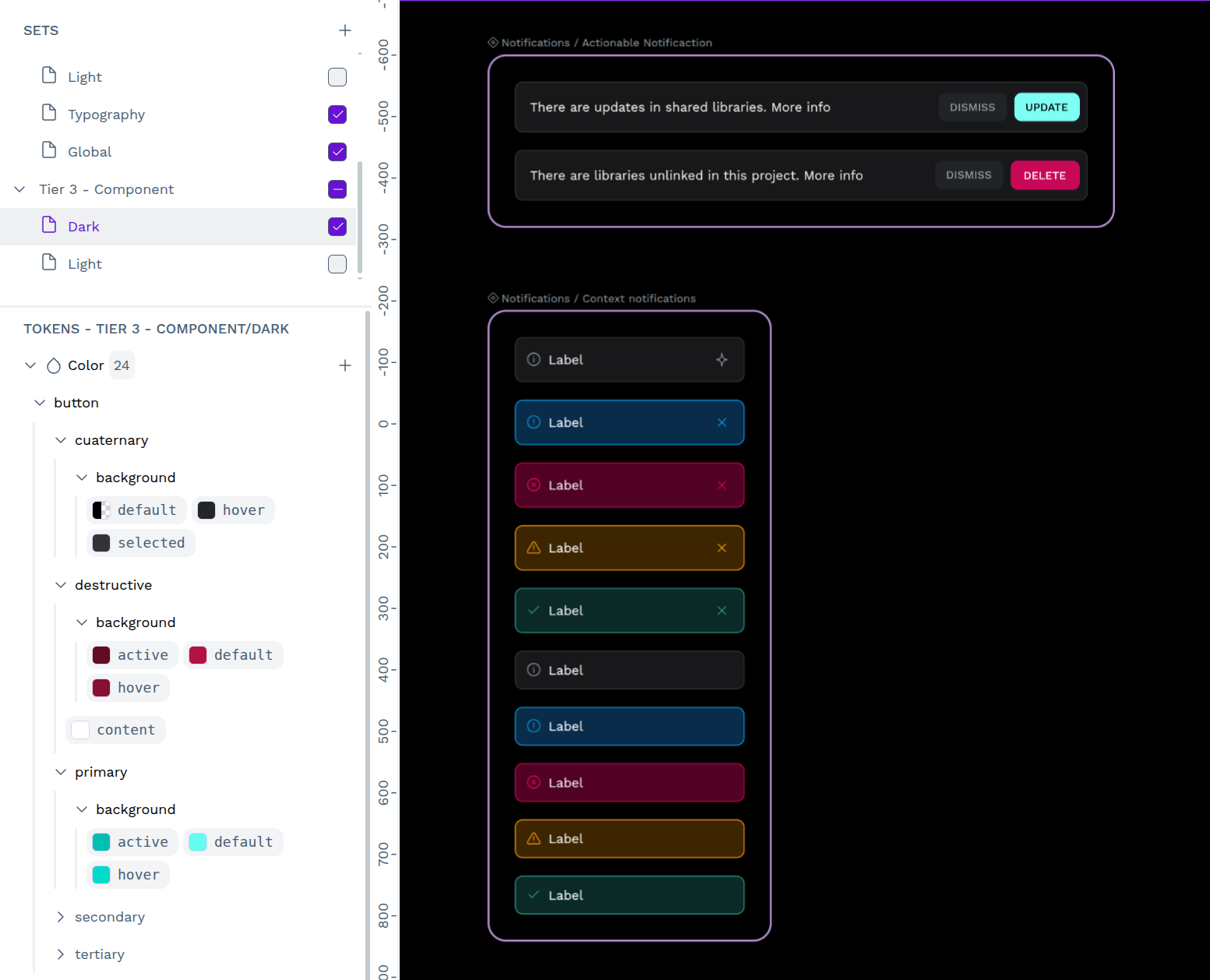
3. Attach images and direct the AI's attention
Using AI to design visuals requires images as a point of reference. Otherwise, it can pull from any number of inappropriate reference images for the given use case.
But you shouldn’t just upload a reference image and consider it done. Take the extra step to direct the AI agent by including prompts like:
In image 1, consider only the negative space between the two vertical strips. In image 2, ignore the table and focus on just the header size and shape. In image 3, only consider the colors used in the hero text and buttons.AI sees everything in each image, but can’t differentiate between the facts about each. To help AI understand what design traits are important, relevant, or desirable, call them out specifically and individually.
4. Summarize your documentation
Just as you direct AI to mine for useful information in images, you’ll need to do the same for any documentation you link to or upload, especially if it’s quite long. If you use Penpot, this means dictating the rules on what to use from within the Penpot ecosystem.
Use only tokens from /core/color.
Don’t work outside of the defined hierarchy rules.
Never duplicate, and only use variants of this component set.
Because your agent is working within your defined rules, it produces outputs that follow them. Any new images it references, no matter how creative or pretty, won't dilute or skew the brand identity.
5. Ask for transformations, not final results
AI doesn’t know what it doesn’t know. So, you have to walk it through the stages and steps that lead to success rather than giving it the final outcome and expecting it to reverse engineer success. It cannot take a random Dribbble image and code it from scratch.
For example, you wouldn’t ask a child to “make this room sparkling clean,” without breaking it down into phases: “Remove all trash and dirty laundry.” “Sort toys into categories.” “Put away toys.” “Sweep the floor.”
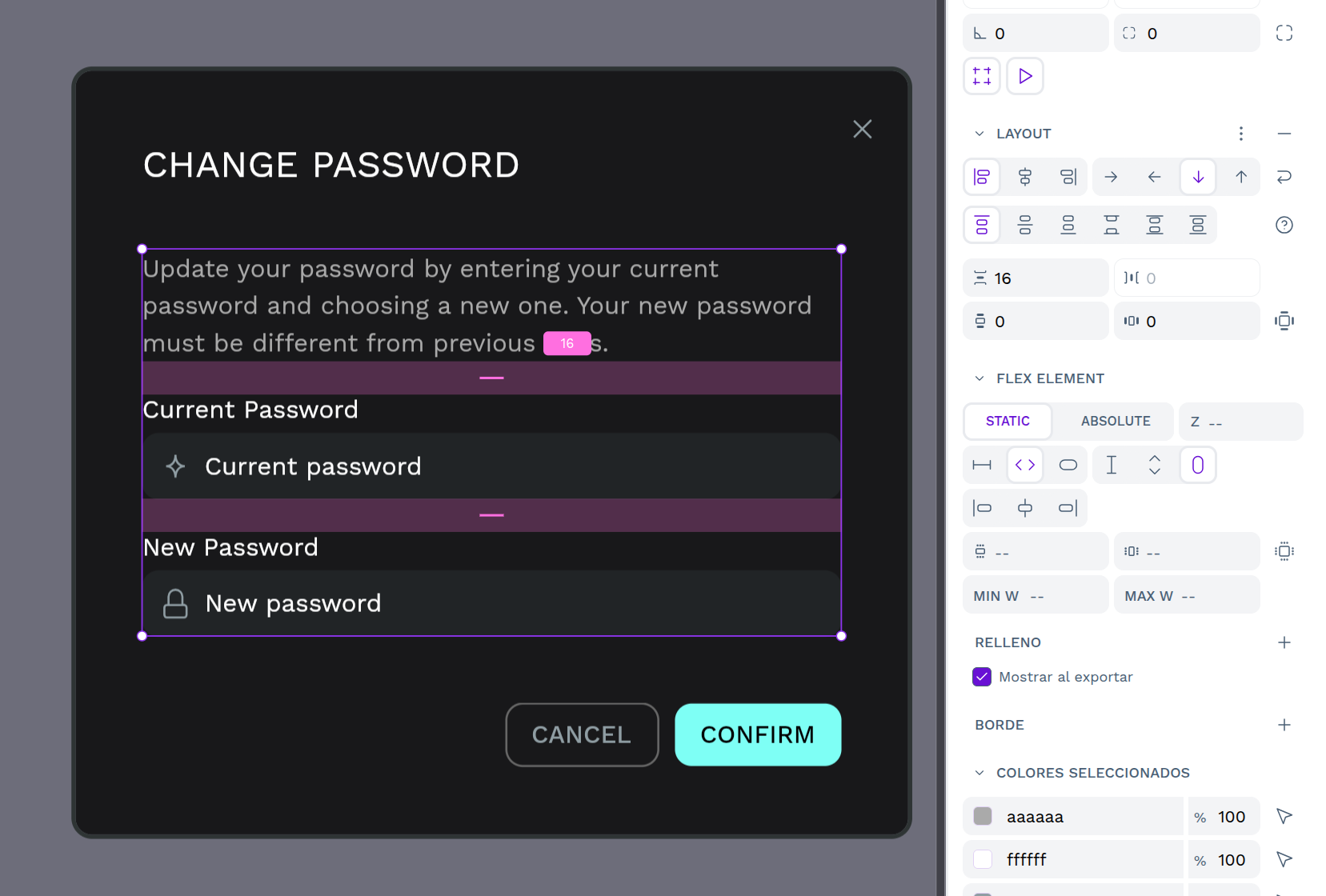
AI design prompts should follow a similar pattern: Adjust the visual hierarchy. Reduce noise by eliminating unnecessary borders. Use our tokens to normalize spacing.
6. Speak the development language
Penpot simplifies going from design to code, but high-quality prompting can make this process even better. It helps if the AI agent knows the ultimate goal (design expressed as code) from the get-go, so you avoid outputs that look great in design but can’t be practically implemented in the actual product.
Start by:
- Clarifying the framework (React, Vue, etc.)
- Calling out the styling strategy (Tailwind, CSS, etc.)
- Forbidding arbitrary values (magic numbers) in favor of established token values
An example would be: Generate the structure for React based on this framework. Map Penpot tokens to CSS variables. Don’t invent breakpoints.
7. Ask for the "why," not just the "what"
Designers (AI or not) must be able to justify their decisions so changes aren't made arbitrarily, causing ripple effects across designs. To document design decisions for later auditing and explainability, prompt AI accordingly. Ask it to explain any changes it makes, no matter how small. This goes for new things added, as well as anything removed.
Ask questions like, What changes did you make here, and why did you make them?
Or, ask for suggestions on what should be changed, and then approve them one by one. That way, you have more control over the changes upfront. You’ll have a formal audit trail and can check the AI agent for true understanding as you build.
8. Tell the AI what not to do
The goal is to be explicit about what AI should and shouldn’t do (and imagine all the ways it could possibly misinterpret your words).
Even if you asked it multiple times to do the same task or flow, never assume it will default to these outputs in the future. Place limitations on what it creates, such as:
- Don’t add new navigation patterns.
- Don’t mess with the visual identity.
- Don’t make up new elements.
Since it can be hard for humans to anticipate all the ways AI can assume or invent, keep a running list of hallucinations or unapproved changes to include in a master “do not touch” list.
9. Iterate, don't one-shot
Many AI product ads send the message that you’re just one button push away from your dream output. In reality, the perfect do-it-in-one-go prompt doesn’t exist.
It takes many iterations to get where you want to be, especially if the output would be something a talented designer would create. It can also be very difficult to track AI’s hand in the design (changes, cuts, and hallucinations) if you do too much at once.
With that in mind, prompt with the same order and flow of a human iteration cycle, including design analysis, proposal, feedback, and preparation for handoff. Each of these stages may take multiple rounds to get it right for the next one. Be patient, and use the previous tips in this article to keep each iteration looking better than the last.
Start prompting smarter with AI
If your team is ready to bring AI into your design workflow without sacrificing security, flexibility, or control, Penpot's open MCP server is built for you. Speak to our team about enterprise options and find out how Penpot can fit into your existing infrastructure.
Related blogs
Interested to learn more about AI workflows in Penpot, here are more articles:
 Pablo Ruiz-Múzquiz